



Information
Description
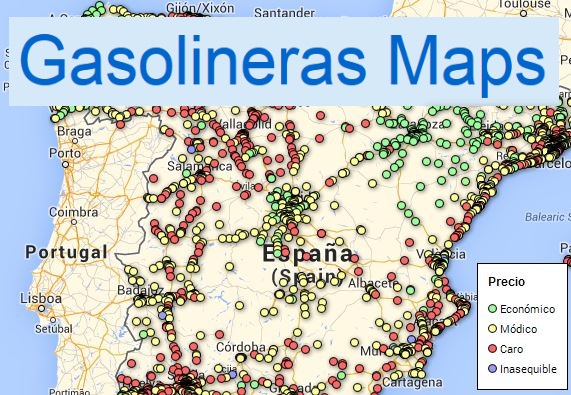
Gasofinder is a modern and efficient web application designed to help users find the cheapest gas stations closest to their location in real time. Using official data and an interactive map, the application helps save money on every refuel. Specifically, it offers:
-
Interactive Map:
-
Clear Visualization: uses OpenStreetMap maps with a clean design (Carto Voyager).
-
Smart Markers:
🟢 Green: low prices.
🟡 Yellow: average prices.
🔴 Red: high prices. -
Special Icons: Quickly identifies the cheapest (⭐) and the most expensive (⚠️) gas station within the visible area.
-
Savings and Real-Time Pricing: retrieves updated prices directly from the Ministry for the Ecological Transition.
-
Tank Fill Calculation: enter your tank capacity (default 55L) to see how much it will cost to fill it.
-
Savings Estimation: shows how much you save compared to the most expensive option in the area.
-
Price Thermometer: a visual bar that indicates whether a station’s price is good, average, or bad compared to local minimums and maximums.
-
Customization and Filters
Fuel Type: filter by Diesel A, Gasoline 95 E5, Gasoline 98 E5, or Premium Diesel. -
Tank Size: adjustable for personalized calculations.
-
Charging Points Link: direct access to the official electric vehicle charging points map.
-
Navigation and Location
Geolocation: automatically detects your location (first approximately, then precisely). -
Routes: automatically calculates the distance and travel time to the selected gas station.
-
GPS Integration: opens the location directly in Google Maps, Waze, or Apple Maps with a single click.
-
Lock Mode: allows you to "pin" a selected gas station so it does not change automatically while moving the map.
Icon Clarification
Location (📍) Shows your current position.
Star (⭐) The most affordable visible option.
Alert (⚠️) The most expensive visible option.